How to remove vocals from a song
- Drop an mp3, wav, m4a, flac, or mp4 you have the right to use. The title comes from the file name.
- Let the first-time model download finish if this browser has not split a song before. The bar shows bytes loaded.
- Press Separate full song. The opening can be mixed while the rest of a longer track is still splitting.
- Leave Karaoke on, loop the section you are learning, and slow it without changing the pitch.
This vocal remover opens a file from this device. The page reads it locally and shows a waveform. Press Separate full song, or start with the 6-second preview if this is the first time on this computer. When the stems are ready, the Karaoke preset is already on: the vocal fader is down, and drums, bass, and other keep playing. That sum is the instrumental.
If a harmony is still in the way, lower Other as well. Backing vocals are not always filed with the lead. Export the mix as WAV or MP3 when you want a file of that backing. Exporting does not send the song anywhere. It writes a download from the stems already in memory.
What you get
Four stems, not a single licensed karaoke master. Vocals holds the lead and whatever else the model heard as voice. Drums holds the kit. Bass holds the bass instrument. Other holds guitars, keyboards, and the rest. The backing track is the last three summed. A clear studio mix comes apart more cleanly than a live desk tape or a song that is already a wash of reverb.
You can solo the vocal stem if you want to hear what was removed. That is the opposite of karaoke, and it is useful when a line is hard to catch. Pitch still moves in semitones if the song sits in an awkward key for your voice, and the speed stays where you set it.
Tips for a cleaner instrumental
Preview six seconds of the chorus before you commit to a full song on a slow computer. The preview uses the same model, so a ghost vocal in those six seconds will still be there at the end of the file. Dense stacks, whispered ad-libs, and a vocal doubled with a guitar leave residue in Other.
If the lead is dry and in the center, muting vocals is usually enough. If the hook is a choir, expect the split to be uneven: some syllables go with the lead, some stay in the arrangement. Loop the worst bar and decide whether the backing is still worth singing over, rather than running the file again hoping for a different stem.
Heavily limited pop, where the voice is glued to the drum bus, leaks more than a recording with the vocal on a separate, quieter track. That is a property of the mix you started with. The page cannot un-limit it.
Before and after on a known file
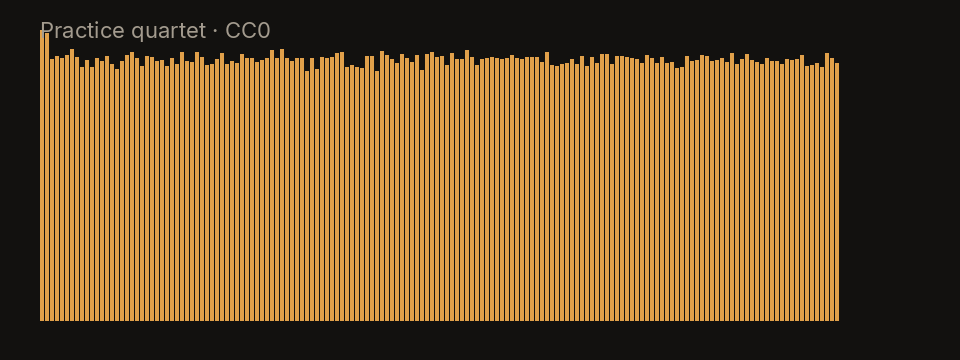
The clip below is not a commercial record. It is the practice quartet shipped with this site: an original 20-second synthetic piece, released CC0, with a dry lead, a small kit, a bass, and a plucked line. On this file the vocal stem is mostly that lead, and muting it leaves a backing you can sing over. Your songs will not look like this plot. It is here so the four bands of energy are visible before you try a dense record.
Limitations
Reverb tails often remain after the dry vocal is gone, because the tail was printed across the mix. Spoken word over music gets chopped. Telephone vocals, heavy distortion on the voice, and very old recordings leak into the instrumental. This page will not print a karaoke track of a song you do not already have, and it will not strip a vocal out of a video that is only playing on another site.
There is no separate control that “keeps the harmonies but drops the lead.” If you need the choir and not the soloist, you will be compromising with the Other fader. A future isolator page is not this one: here the point is the backing.
Practice with the instrumental
Loop the chorus with the waveform, turn on the count-in, and drop the speed in small steps. The key does not follow the speed, so a slow phrase is still the melody you are learning. When the tempo reading is clear, the metronome can replace the drums you muted. Markers are there if you want to label a verse and a bridge and jump back.
For a drumless version of the same song, open the drum remover. To learn the bass part against this backing, the bass remover starts from the opposite mute. The numbers for tempo and key are explained on the BPM and key finder.